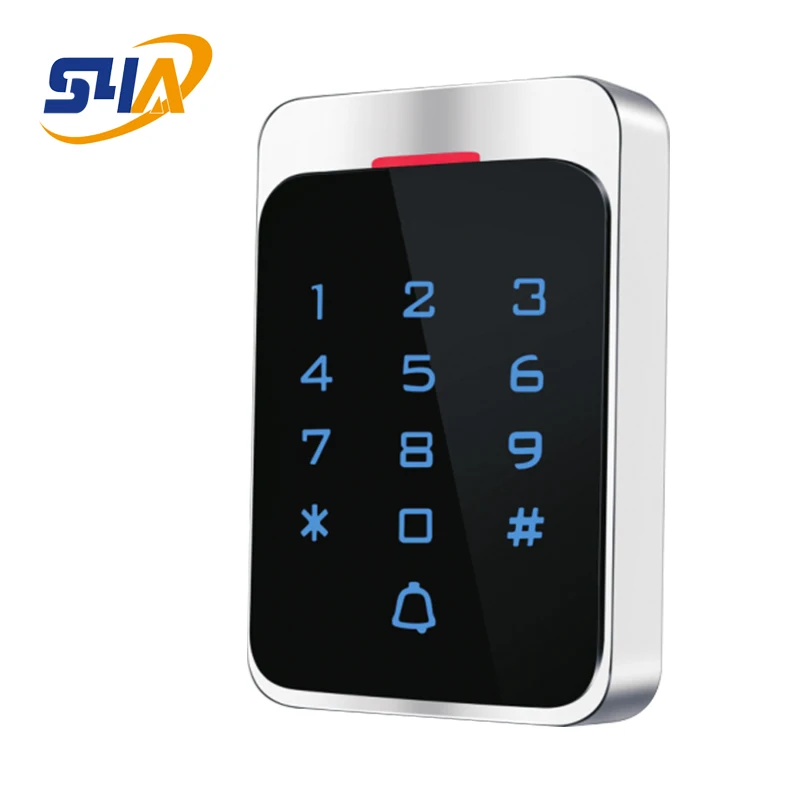
Waterproof Metal RFID 125KHz Stand Alone Acces Control System Digital Keypad with Touch Screen Panel | Безопасность и защита
US $28.40


Новое поступление

Магазина secu-access-control Store работает с 22.08.2018. его рейтинг составлет 80 баллов из 100. В избранное добавили 27 покупателя. Средний рейтинг торваров продавца 4.2 в продаже представленно 169 наименований товаров, успешно доставлено 18 заказов. 5 покупателей оставили отзывы о продавце.
Характеристики
*Текущая стоимость 1 651,12 уже могла изменится. Что бы узнать актуальную цену и проверить наличие товара, нажмите "Добавить в корзину"
| Месяц | Минимальная цена | Макс. стоимость | Цена |
|---|---|---|---|
| Feb-19-2026 | 2097.98 руб. | 2139.81 руб. | 2118 руб. |
| Jan-19-2026 | 1701.34 руб. | 1735.85 руб. | 1718 руб. |
| Dec-19-2025 | 2064.54 руб. | 2105.19 руб. | 2084.5 руб. |
| Nov-19-2025 | 2047.33 руб. | 2088.78 руб. | 2067.5 руб. |
| Oct-19-2025 | 1634.14 руб. | 1667.46 руб. | 1650.5 руб. |
| Sep-19-2025 | 2014.91 руб. | 2054.40 руб. | 2034 руб. |
| Aug-19-2025 | 1998.11 руб. | 2038.52 руб. | 2018 руб. |
| Jul-19-2025 | 1981.9 руб. | 2021.31 руб. | 2001 руб. |
Описание товара

| NO | Item | Value |
| 1 | Operating voltage | DC 12V±10% |
| 2 | Operating current | < 100mA |
| 3 | Ambient temperature | -20℃—70℃ |
| 4 | Storage | 15000users |
| 5 | Card type | MIFARE |
| 6 | Card reading distance | 3-5CM |
Installations Guide:
| NO | Mark | Color | Function |
| 1 | 12V | Red | DC 12V |
| 2 | GND | Black | Power GND |
| 3 | OPEN | Brown | Connect EXIT button |
| 4 | D0 | Green | WG26 signal D0 |
| 5 | D1 | White | WG26 signal D1 |
| 6 | NO | Yellow | Relay NO |
| 7 | COM | Blue | Public connector |
| 8 | NC | Grey | Relay NC |
1、How to set Management Card – MAC&MDC
Step1、Turn off power and connect“GND”and“OPEN”。
Step2、Turn on power and buzzer gives 3 long buzz with green light flash fast, now read two empty cards first one as Manager Add Card(MAC) and Second one as Manager Delete Card(MDC) with red light flashing .
Step3、Turn off power, disconnect“GND”and“OPEN”。Turn on power again.
2、 How to use Management Card
To add a card user in standby mode: 1、 read MAC 2、read newcards 3、read MAC
To delete a card user in standby mode: 1、read MDC 2、read registered 3、cards read MDC
To delete all users in standby mode: 1、read MDC 2、read MAC 3、read MDC
Remark: User cards can be added or deleted continuously.

Смотрите так же другие товары: